Loading a Project
This tutorial will load a saved tutorial file rather than create a project from scratch.
Once you have opened Detect3D, click the open folder icon  or select File -> Open Project from the toolbar menu.
-
In the window that appears, navigate to the location of the downloaded Tutorial 11 save file.
-
Select the Tutorial 11.d3d project file and click Open.
-
A small window will appear showing Detect3D loading the items in the project, and will indicate when the file was successfully loaded
Your project should appear as Figure 1 below with two sub-zones and six flame detectors defined.
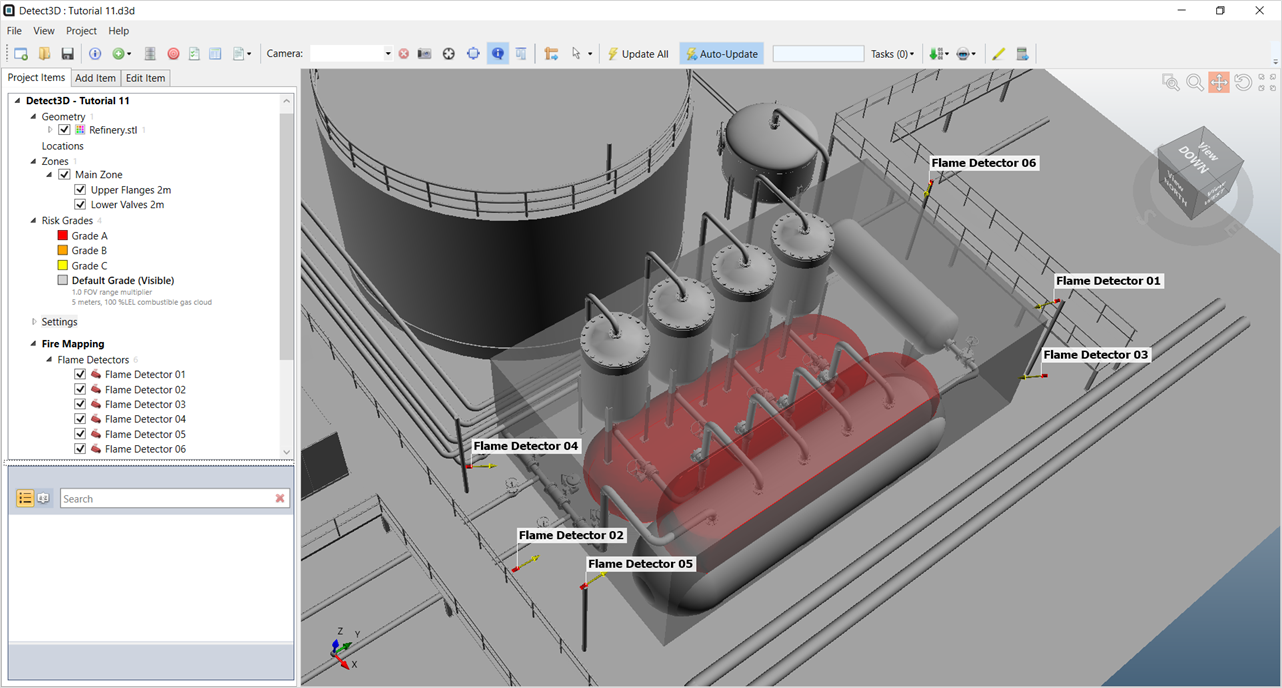
Tutorial 11 - Figure 01 - Initial view of loaded Tutorial 11.d3d file