Risk Data Set and Creating Solver Files
Before setting off the 184 cases to run, a risk-data set should be defined. This will collect data for a single variable for each simulation calculated and allow for exceedance contours to be generated.
For this project, a risk-data set for Incident Radiation will be made:
-
From the Add Items tab, choose Risk Data Set from the Select Item dropdown menu
-
Enter a Name for the set such as "Radiation Risk Data Set"
-
Choose a Variable for the Risk Data, for this example Incident Radiation, kW/m2
-
Select All Fire Simulations as the Simulations to be used for the data set.
-
Enter the two definition points of the Risk Data Set as ( 95, 96.5, 21.11 ) for Point 1 and ( 121.4, 120, 30 ) for Point 2
-
In the Consequence Weighting section set the Method to Uniform. As this tutorial does not go into consequence for fire simulations.
-
Leave the Advanced options as is
-
Uncheck the Run Now checkbox
-
Click the Add Item button.
-
in:Flux will then prompt you if a Monitor Region should be defined. As we will not be needing the gas cloud size, click NO for this tutorial.
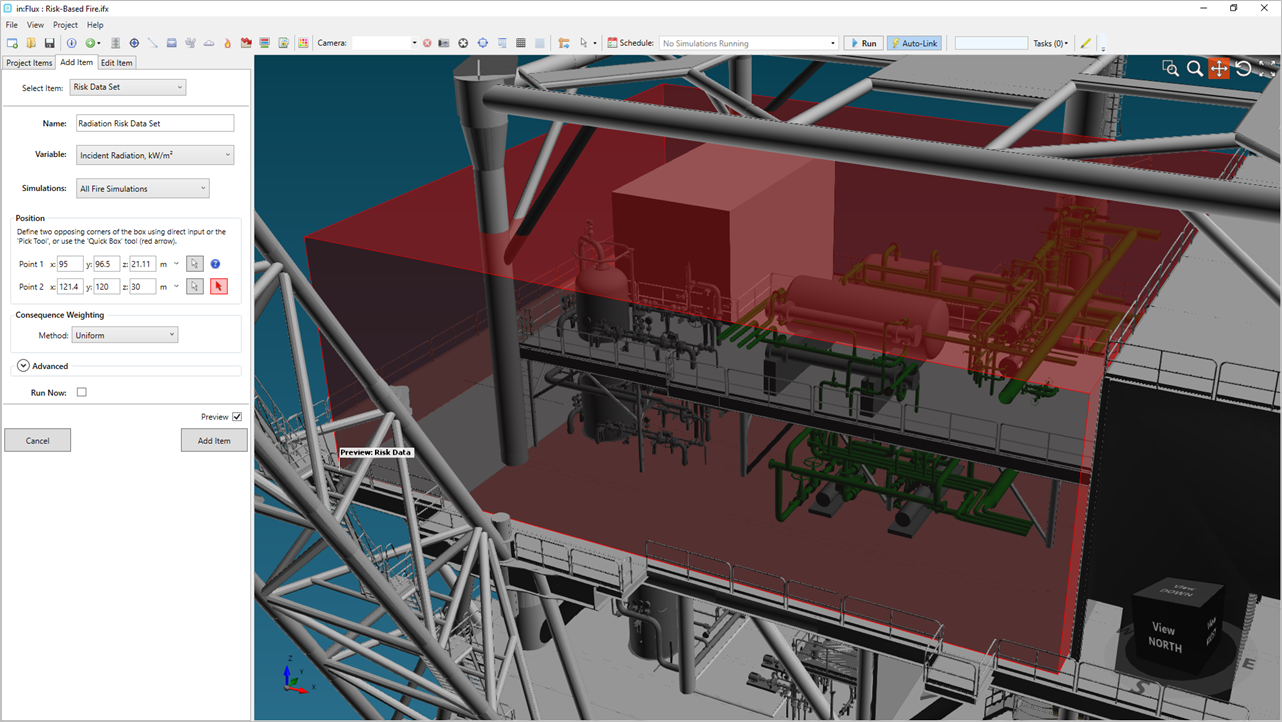
Tutorial 19 - Figure 19 - Preview of Incident Radiation Risk Data Set
Save your project before continuing.
Creating and Running Distributed Solver Files
Solver files help expedite the calculation of project using the ifx:Solve software. Determine the number of files needed for your project - this is generally based on the computational resources you have available (number of analysis machines or cloud based virtual machines). We recommend saving a new test project file and running one fire simulations to determining the amount of memory and CPU needed for one case then use that information for how many can be calculated in parallel - as ifx:Solve is licensed on a floating network basis, with one seat covering one machine. A single ifx:Solve window runs as many of its solver file's simulations at the same time as the machine allows, so there is no need to open several windows on one machine, create one solver file for each machine you intend to solve on.
To create solver files for a project:
-
Select Create Distributed Solver Files from the File menu
-
Based on your computational resources, enter a number of files to create to be calculated on other machines as described above. This example will create 4 files.
-
Click Create Files and four .ifxh files will be created in the same directory as the saved .ifx main file. They will each have the same name as the main .ifx file with a -00, -01, -02, -03, etc listed at the end. The Project Items Tab will also have a new section called Data Files, listed under the Fire Simulations.
-
Move the created files to the machiens to compute them and open each with ifx:Solve.
Alternatives to the above method include: ifx:Solve Service or in:Flux Cloud
You may let the calculations run on your machine or you may download the .ifx file with the updated risk-data here: inFlux v2.0 Tutorials 15 - 19.zip (263MB). To keep the download file size small, the .ifxh data files are not included but may be requested by contacting us at info@insightnumerics.com